Create Custom 3D Keychains: The Ultimate Design Guide
Learn how to design professional 3D printable keychains with text, icons, and SVG graphics. Complete guide covering multi-layer design, typography, rendering styles, and export options.
Introduction
In the world of 3D printing, personalized keychains have become one of the most popular projects for makers, designers, and gift-givers alike. Whether you're creating branded merchandise, personalized gifts, or unique accessories, having the right tools makes all the difference. In this comprehensive guide, we'll explore how to design professional-quality 3D printable keychains using a modern web-based design studio.
What Makes a Great Keychain Designer?
A professional keychain design tool should offer:
- Intuitive visual editing without requiring CAD experience
- Multiple customization options for text and graphics
- Real-time 3D preview to visualize the final result
- Professional export formats ready for 3D printing
Let's dive into the features that make this possible.
🎨 Core Design Features
1. Multi-Layer Canvas System
The design canvas supports unlimited elements with a sophisticated layer management system:
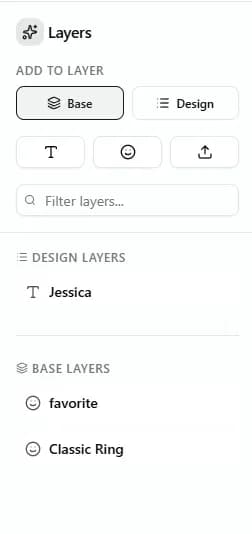
- Design Layers: Add text, icons, and SVG graphics as raised, recessed, or stencil elements
- Base Layers: Create multi-level bases with independent thickness and z-offset control
- Layer Ordering: Full z-index control with bring-to-front/send-to-back operations
- Visual Editor: Drag, rotate, and scale elements with intuitive Fabric.js-powered canvas
2. Typography Excellence
Text customization goes beyond basic fonts:
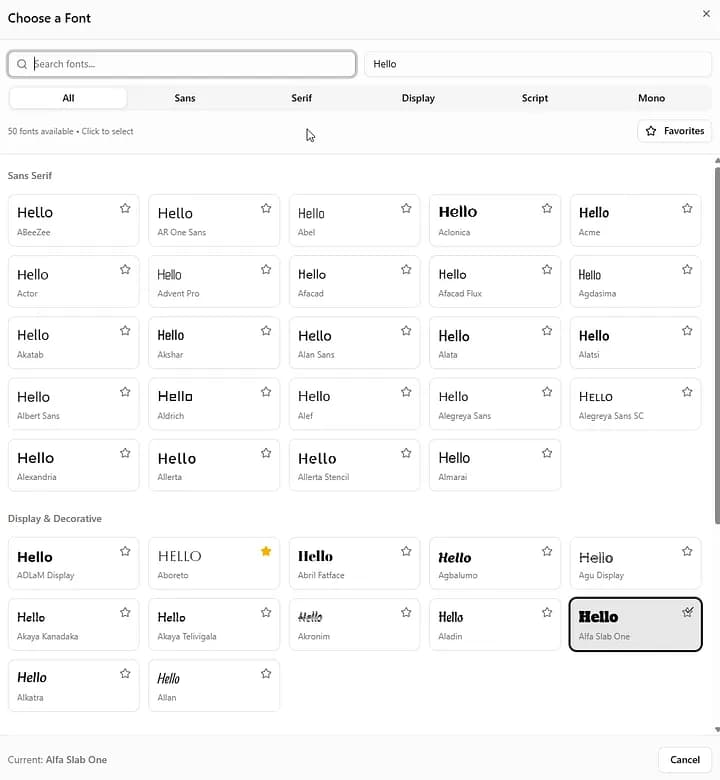
- Google Fonts Integration: Browse and search 1000+ professional fonts
- Custom Font Upload: Upload your own TTF/OTF files for brand-specific typography
- Font URL Support: Load fonts directly from external URLs
- Multi-line Text: Full support for paragraphs with line height and alignment control
- Vector Text Rendering: Text converted to precise vector paths for clean 3D extrusion
3. Rich Icon & SVG Library
Access thousands of graphics without leaving the editor:
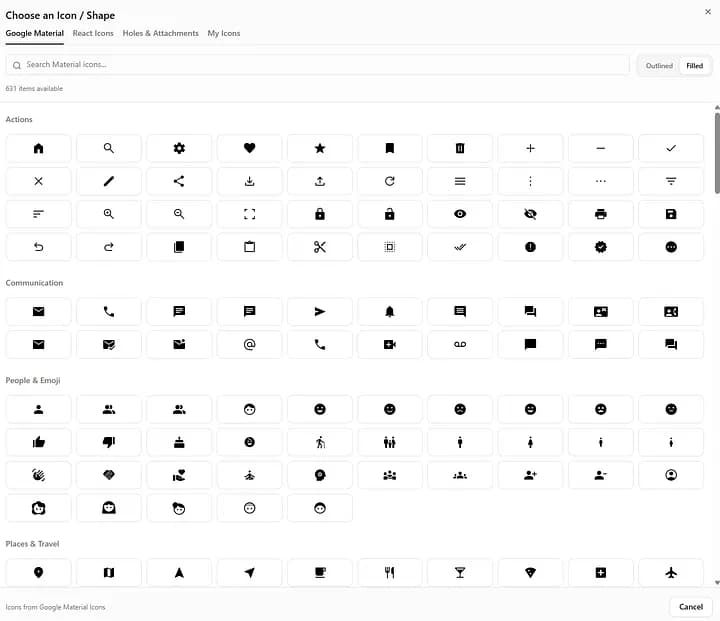
- Material Icons: 2000+ Google Material Design icons (outlined and filled styles)
- React Icons: Multiple icon sets (Game Icons, Feather Icons, Font Awesome, and more)
- Custom SVG Upload: Import your own vector graphics
- User Asset Library: Save frequently used icons for quick access
- SVG Preprocessing: Automatic path optimization and hole detection
🛠️ Advanced Customization
4. Three Rendering Styles
Each element can use different 3D effects:
- Raised: Text/graphics extruded above the base (classic 3D effect)
- Recessed: Carved into the base (engraved look)
- Stencil: Complete cutout through the base (negative space design)
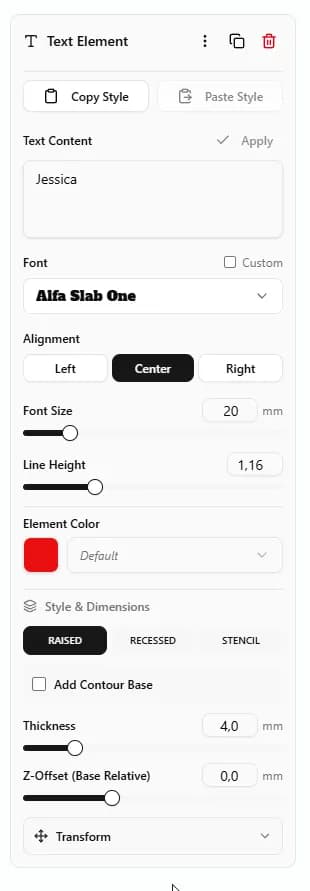
Per-Element Control: Mix and match styles - have raised text with recessed icons on the same keychain!
5. Intelligent Base System
Six base shape options adapt to your design:
- Contoured: Automatically wraps around text/graphics with customizable offset
- Rectangle: Classic rectangular base with adjustable padding
- Rounded: Rectangle with customizable corner radius
- Ellipse: Oval-shaped base
- Circle: Perfectly circular base
- Manual: Use SVG elements as custom base shapes with multi-layer support
Base Layer System: Stack multiple base layers (L0, L1, L2...) with independent thickness for multi-level designs.
6. Contour/Border System
Add professional outlines to any element:
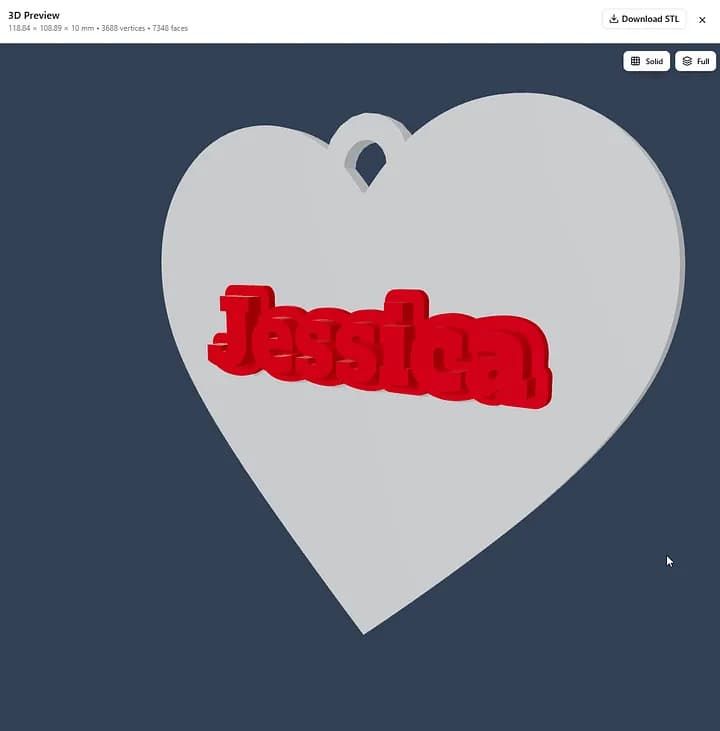
- Adjustable Width: Control contour offset/padding
- Independent Styling: Contours can be Raised, Recessed, or Stencil
- Thickness Control: Set contour extrusion depth independently
- Visual Hierarchy: Create depth and emphasis with layered borders
7. Smart Hole System
Built-in keychain attachment hole:
- Preset Shapes: Classic keychain hole, heart, star, and custom SVG shapes
- Positioning: Top, bottom, left, or right with precise X/Y offset
- Border Width: Adjustable reinforcement ring around the hole
- Diameter Control: Size from tiny charms to large keyrings
🎨 Design Tools & Workflow
8. Professional Canvas Controls
- Zoom: 25% to 200% with center-point zooming
- Grid System: Adjustable grid size (mm-based) with opacity control
- Alignment Tools: Align and distribute multiple elements (left, center, right, top, middle, bottom)
- Snap-to-Grid: Precision placement with visual grid reference
- Real-time Measurement: See exact dimensions in millimeters
9. Color Management
Full color customization for multi-color prints or visualization:
- Per-Element Colors: Override individual element colors
- Global Color Presets: Set default text, base, and background colors
- Custom Color Picker: Use any hex color or preset palettes
- Preview Colors: See color combinations before exporting
10. Copy/Paste Style System
Speed up repetitive designs:
- Style Clipboard: Copy all visual properties from one element
- Cross-Element Pasting: Apply styles even between text and SVG elements
- Persistent Storage: Copied styles saved in localStorage for reuse
- Properties Included: Color, style, thickness, z-offset, contours, and font settings
📐 Precision & Export
11. Real-time 3D Preview
See your design in three dimensions before printing:
- Three.js Rendering: Hardware-accelerated 3D visualization
- Dual-Mesh Preview: Base and text rendered in different colors for clarity
- Interactive Controls: Rotate, zoom, and pan the 3D model
- Mesh Statistics: View vertex count, face count, and watertight status
- Dimension Display: Exact width × height × depth in millimeters
12. Professional Export Options
- STL Format: Industry-standard for 3D printing (binary format)
- 3MF Format: Advanced format with color and material support
- Optimized Meshes: Watertight geometry with auto-fixed normals
- Base64 Encoding: Instant download without server storage
13. Template System
Save and share your designs:
- Save Templates: Store designs with thumbnails and metadata
- Load Designs: Quick access to saved projects
- Public Templates: Share designs with the community
- Template Browser: Search and filter saved designs
💡 Use Cases & Examples
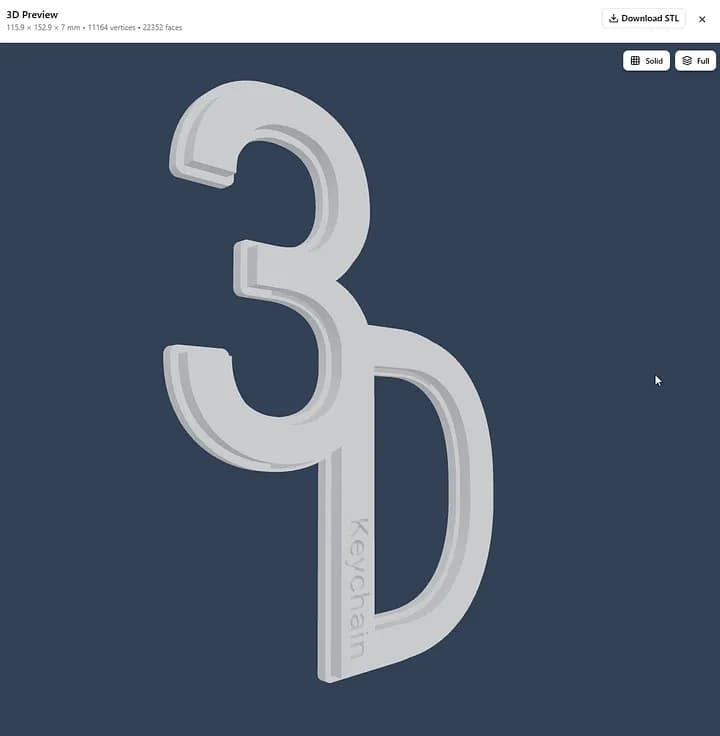
Personal Gifts
- Name keychains with custom fonts and icons
- Date/coordinate keychains with hearts or stars
- Pet name tags with paw prints
Business & Branding
- Logo keychains with company SVGs
- QR code keychains with brand colors
- Employee badge holders
Event Merchandise
- Wedding favor keychains with couples' names
- Conference swag with event logos
- Sports team keychains with mascots
Creative Projects
- Multi-layer art pieces
- Miniature signage
- Educational geometry models
🚀 Getting Started
Basic Workflow:
- Add Elements: Click "Add Text" or "Add Icon" in the Layers Panel
- Customize Properties: Adjust font, size, color, and 3D style in Properties Panel
- Position Elements: Drag, rotate, and scale on the canvas
- Set Base Shape: Choose automatic contoured base or manual base layers
- Add Hole: Enable keychain hole with your preferred position
- Preview 3D: Click "Generate" to see real-time 3D preview
- Export: Download STL or 3MF file for 3D printing
Pro Tips:
- Use Raised text with Recessed contours for bold, professional look
- Combine multiple base layers (L0, L1, L2) for multi-level depth
- Copy/Paste styles to maintain consistency across elements
- Use Contoured base with negative offset to shrink-wrap around text
- Add Material Icons for instant professional graphics
📊 Technical Specifications
- Canvas System: Fabric.js with 4 pixels per mm scaling
- Coordinate System: Millimeter-based with center-origin
- 3D Engine: Three.js with STLLoader
- Backend: Python FastAPI with trimesh mesh generation
- Font Rendering: Matplotlib textpath with TTF support
- SVG Processing: svg.path parser with curve interpolation
- Mesh Validation: Watertight checking with auto-repair
🎯 Conclusion
Creating professional 3D printed keychains has never been more accessible. With powerful features like multi-layer support, extensive icon libraries, intelligent base generation, and real-time 3D preview, you can go from concept to print-ready file in minutes.
Whether you're a hobbyist making personalized gifts or a business creating branded merchandise, this comprehensive toolset provides everything needed for professional results.
Resources
Recommended 3D Printer Settings
- Layer Height: 0.2mm
- Infill: 20%
- Supports: Usually not needed for flat keychains
Best Filament Types
- PLA: Easy to print, great for multicolor designs
- PETG: More durable, weather-resistant
- TPU: Flexible, great for rubber-like keychains
Post-Processing Tips
- Light sanding for text details (400-800 grit)
- Paint with acrylic for multi-color designs
- Clear coat for protection and shine